

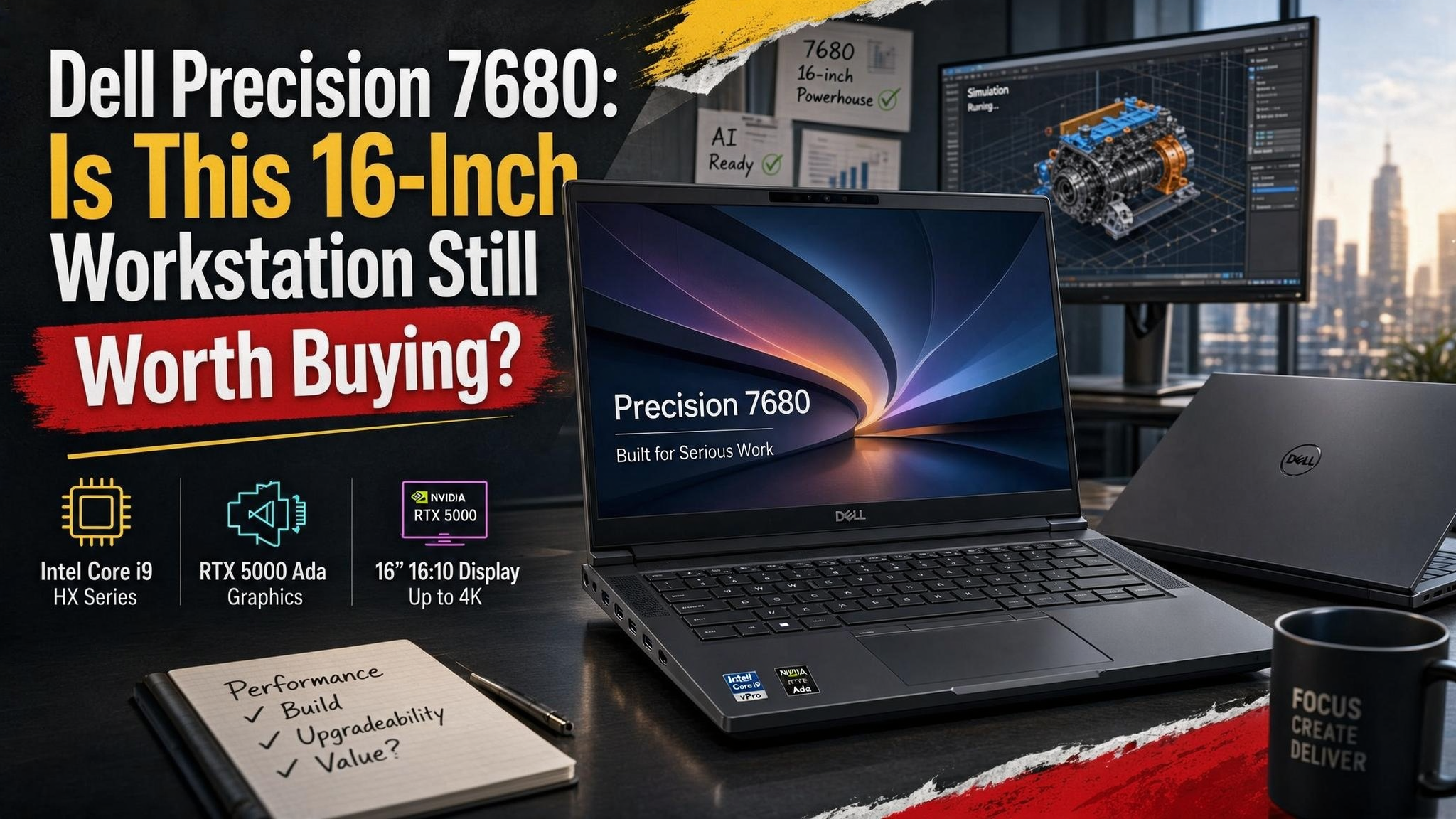
If you work with heavy software like AutoCAD, SolidWorks, Revit, Premiere Pro or Blender, you already know that a normal laptop can only take you so far. At some point the fans scream, the screen freezes and your deadline slips away. That is the moment people start looking at mobile workstations, and the Dell Precision 7680 is one of the names that comes up again and again.
This guide covers what the Dell Precision 7680 offers, who it suits, how its battery and display behave, and what to check before buying a used one. I have kept it simple so you can make a clear decision without digging through spec sheets.
What Is the Dell Precision 7680?
The Dell Precision 7680 is a 16-inch professional laptop made for people who need desktop-level power while moving around. Dell describes it as its most scalable 16-inch workstation, and it comes in a thin or a performance chassis, so you can pick a lighter body or one with more room for storage and cooling.
It launched in 2023 alongside the larger Precision 7780, and reports at launch said the two are nearly identical except for their screen sizes. The 7680 is the one to look at if you want serious power but still need to carry the laptop to a client’s office, a site visit or a classroom.
This is not a gaming laptop with fancy lights. It is built for work. The focus is on stability, certified graphics cards, strong cooling and long-term reliability, which is why engineers, architects and video editors prefer this line.
Performance: What Is Under the Hood
The heart of the machine is a 13th Gen Intel Core HX processor. Buyers can find Core i5, i7 and i9 versions. The i7-13850HX, which is the one many used listings in Pakistan carry, is a very capable chip. It has 20 cores and can reach up to 5.3 GHz in turbo mode. Seller listings also mention 28 threads, which simply means the processor can handle many tasks at the same time without slowing down.
In daily use, that means you can keep a big CAD file open, run a render in the background, join a video call and still have a dozen browser tabs running. For programmers, it means fast builds and smooth virtual machines. For editors, it means timelines that do not stutter as much.
Memory is another strong point. Dell’s own mobile workstation comparison sheet says the 7680 can support up to 128GB using CAMM memory, or 64GB with standard SODIMM sticks, running at 5600MT/s. Most people will never need that much. Still, it tells you the laptop has room to grow. If a used unit comes with 16GB, you can often add more later, which is a real advantage over thin laptops with soldered memory.
Graphics: The Part That Makes It a Workstation
What separates a workstation from a normal business laptop is the graphics card. The Precision 7680 can be set up with professional NVIDIA RTX Ada graphics. Dell lists options from the RTX 2000 Ada with 8 GB up to the RTX 5000 Ada with 16 GB. Some versions also have the smaller RTX 1000 Ada or just the built-in Intel graphics.
These cards are tuned and tested for professional software, which matters when you use programs that are certified for them. Fewer crashes and smoother 3D views are the main benefits. The gap between the lower and higher cards is large, though. An RTX 5000 Ada machine can handle heavy 3D scenes and AI work that would make an entry-level card struggle.
This is where many used buyers get caught. A listing may talk about the processor, memory and screen, and say nothing about the graphics card. For the Precision 7680, the graphics card can change the real value of the laptop by a big margin. Always ask which card is installed and ask for a screenshot from the Task Manager or from a GPU checking tool.
The Display: Sharp, Bright and Good for Color Work
The display is one of the best things about this laptop. It uses a 16:10 shape, which gives you a bit more vertical space than a regular widescreen. That extra height is nice when you are scrolling through code, long drawings or spreadsheets.
At the top end, Dell offers a 4K-class OLED screen. The official spec sheet mentions an OLED 4K panel with HDR500, 500 nits of brightness, PremierColor and 100% DCI-P3 coverage. In plain words, that means deep blacks, rich colors and the kind of accuracy that photographers, video editors and designers care about. Lower-cost versions use a full HD plus panel, which is still bright and sharp for most work.
If you do color-sensitive work, a 4K model is worth the extra money. If you mostly write code, build spreadsheets or do 2D drawing, the standard screen will serve you well and will also use less battery.
One small note for used buyers. Some sellers describe the screen as 15.6 inches. Dell sells the Precision 7680 as a 16-inch laptop, so the number in a listing can be a loose way of describing it. It is a good habit to confirm the exact panel type and resolution before you pay.
Battery Life and Charging
Workstation laptops are not known for battery life, and the 7680 is no exception. Still, Dell gives you decent choices. According to the official battery specifications, the laptop supports a 6-cell 83 Wh battery or a larger 93 Wh one. The bigger one weighs a little more, at about 0.41 kg compared to 0.383 kg.
Charging is quick on some versions. The ExpressCharge 2.0 option can take the battery from 0% to 80% in as little as 35 minutes, with a standard full charge taking about 3 hours. That is handy when you are rushing between meetings and only have a short break near a socket.
How long the battery lasts depends on what you do. Dell itself says the running time changes with operating conditions and can drop a lot during power-hungry tasks. Light work like writing and browsing may give you several hours. Rendering, 3D modeling or running a strong graphics card will drain it much faster. If you plan to do heavy work, keep the charger close.
Temperature matters too. Dell says the battery should be used between 0°C and 50°C. In a hot Pakistani summer, avoid leaving the laptop in a parked car or in direct sun, since heat is the biggest enemy of any laptop battery.
Storage, Ports and Everyday Practical Features
Storage is flexible. The performance chassis has three M.2 slots with PCIe Gen 4 support and RAID options, which allows a very large amount of storage. You are unlikely to fill that, but it means a used unit with a 512GB drive can be upgraded cheaply later. A fast SSD costs far less than buying a new laptop.
On the connection side, the laptop has what professionals need. Dell’s sheet lists two Thunderbolt 4 ports, two USB 3.2 Type-A ports and a Type-C DisplayPort connection. Thunderbolt is useful for fast external drives, docking stations and multiple monitors. Wireless is up to date, with Wi-Fi 6E and Bluetooth 5.3, plus an optional 5G SIM card.
The laptop is not light. One configuration is listed at about 5.90 lb, or 2.67 kg, and that does not include the charger. Independent testers such as Laptopmedia list a similar weight in their in-depth review. It is fine for a bag, but it is not something you will forget you are carrying.
Dell Precision 7680 Price in Pakistan
New, the laptop was a premium product. When it launched in 2023, the starting price was around US$2,529. That is a big amount for most people and small businesses in Pakistan, which is why the used market is so popular.
In the used market, prices depend on the processor, graphics card, memory and screen. As an example, one Lahore seller listed an i7-13850HX model with 16GB RAM, a 512GB SSD and a 4K display at Rs. 155,000, marked down from Rs. 175,000, and that listing showed it as out of stock with only a short check warranty. Treat a number like this as a rough guide, not a fixed price. Stock moves fast, and prices change with the dollar rate, so confirm the current price and availability before you plan your budget.
The main lesson is that a used Precision 7680 can offer far more power per rupee than a new mid-range laptop. A new laptop at a similar price will usually have weaker graphics, less cooling and a plainer build.
Who Should Buy the Dell Precision 7680?
This laptop fits people whose work genuinely needs the power. Architects and civil engineers who use AutoCAD, Revit or similar tools will enjoy it. So will mechanical designers working in SolidWorks, and video editors who handle 4K footage. Developers who run virtual machines, containers or machine learning tests will also get good use out of it.
If you mostly browse, watch videos and write documents, this laptop is too much. You would be paying for power you never use and carrying extra weight every day. A lighter business laptop would be a better fit and cheaper to run.
Freelancers and small studios often find this to be a smart middle path. Instead of buying a desktop workstation and being stuck at one desk, they get a machine that can do heavy work at home and travel to a client when needed.
What to Check Before Buying a Used Precision 7680
Buying used can be a great deal or a headache, and a few simple checks make the difference. Start with the graphics card, as mentioned earlier. Ask for proof of the exact model and make sure it matches what you are paying for.
Next, look at the battery. Ask the seller for the battery health report or the charge cycle count. A tired battery is not a deal-breaker, since replacements exist, but it should lower the price. Make sure the original charger is included, because these laptops need a strong adapter and a weak one will cause slow charging or throttling.
Check the screen carefully for dead pixels, yellow patches, burn-in on OLED panels and uneven brightness. Open a plain white image and then a black one, and look at the whole display. Test every port, the keyboard, the touchpad, the camera and the speakers. Run a stress test for ten to fifteen minutes to see whether the temperatures stay under control and the fans behave.
Finally, look at the warranty and the return policy. A seven-day check warranty is common on used laptops, so use that time well. Test the laptop with your real software straight away. If anything feels wrong, you want to find out in the first week, not in the third month. Also confirm that the BIOS is not locked and that the service tag matches the laptop, so you can check its details on Dell’s support page for the Precision 7680.
Pros and Cons in Plain Words
The biggest strengths are its raw power, its upgrade options, its excellent display choices and its professional graphics. The build also feels solid, and the laptop is made to handle long working hours.
On the other side, it is heavy, the battery will not last all day under load, and the price is high if you buy a new one. Also, because so many configurations exist, two laptops with the same name can perform very differently. That is why checking the exact parts matters more here than with a simple consumer laptop.
Read More: Colleagues
Final Thoughts
The Dell Precision 7680 is a serious tool for serious work. It gives you strong processors, workstation graphics, a lot of room to upgrade and a screen that creative professionals will love. It asks for some trade-offs in weight and battery life, but for the right user those are small prices to pay.
If you can find a clean, well-tested used unit with the right graphics card at a fair price, it can be one of the best investments for your work. Take your time, check the details and test it properly before you pay. Do that, and the Dell Precision 7680 can serve you well for years.










Leave a Reply