
If you work for yourself, you know the feeling. You finish a job, you are tired, and the last thing you want is a confusing app just to ask for your money. That is the problem Invoice Simple tries to solve. This article covers what it does, what it costs, who it suits, and where it falls short, so you can decide without wasting a weekend on research.
What Is Invoice Simple?
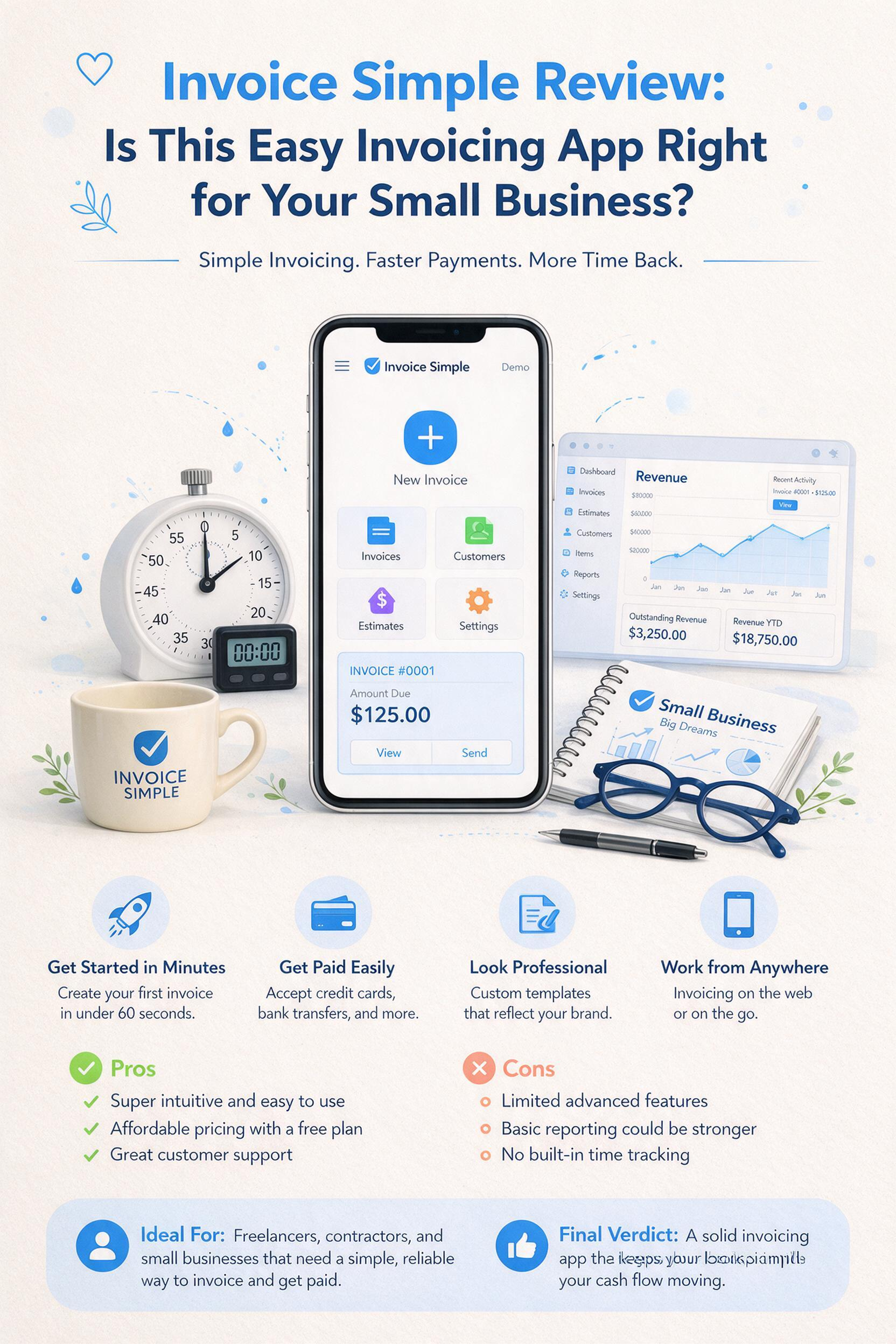
Invoice Simple is an invoicing and estimating app for freelancers, contractors, and small business owners. You can use it on your phone, tablet, or computer. Its main job is to help you write a quote, send it to a client, turn it into an invoice, and collect payment. It does not try to be a full accounting system.
That focus is the whole point. Many small business owners do not need payroll tools or inventory tracking. They need a clean, professional invoice that goes out the same day the work is done. One independent software guide says users can create their first invoice within minutes of downloading the app, unlike heavier systems that need setup time.
How Invoice Simple Works in Real Life
You add your business details once, such as your name, logo, and contact information. Then you add your clients and the items or services you sell. The app saves all of this, so the next invoice needs far less typing. Reviewers often mention this autofill feature because it saves real time when you bill the same people again and again.
When a new job comes in, you can start with an estimate. Your client approves it, and you turn it into an invoice with one click. You do not enter everything twice. That helps plumbers, electricians, cleaners, photographers, and anyone else who quotes first and bills later.
After you send the invoice, you can see when your client opens it. The app calls these real-time read receipts. If a client says they never got the invoice, you can check whether they opened it. That makes your follow-up message much easier to write.
Getting Paid Faster
An invoice only helps if it leads to money in your account. Invoice Simple lets clients pay online by card. Online payments are available in the US, UK, Canada, New Zealand, Australia, and the Philippines, so check that your country is on the list before you sign up. There is also a QR code option for printed invoices, so a client can scan and pay on the spot.
Higher plans let you ask for a deposit. According to the Premium plan page, you can request deposits of 10% to 50% of the invoice total when you receive payments through Invoice Simple Payments. If you buy materials before a project starts, that upfront money protects your cash flow.
Keeping Track of Expenses
Invoice Simple also includes a receipt scanner. One review notes that it lets you scan receipts to capture and save key information. You snap a photo and the app stores the details, which beats digging through a shoebox of crumpled paper at tax time. Reports are also created automatically each month. They are not deep accounting reports, but they show what you billed, what was paid, and what is still waiting.
Invoice Simple Pricing Explained
Review sites often list different prices, so the safest source is the official pricing page. At the time of writing, there are three main plans. Essentials is $6.99 a month, Plus is $14.99 a month, and Premium is $21.99 a month, as listed on Software Advice. Premium also has a yearly option of $219.99 a year with unlimited invoices.
The big difference between plans is how many invoices you can send each month. Essentials covers up to three invoices a month, plus online payments, read receipts, autofill, and the mobile app. Plus raises the limit to ten invoices and adds extras like photos. Premium removes the limit.
Count how many invoices you really send in a normal month, then add a few for busy times. If you send two or three, Essentials is cheap and does the job. If you send fifteen, Premium is the honest choice. Some sites say there is no free trial, while the company invites you to send your first estimate or invoice for free. Try that first before paying.
What People Like About Invoice Simple
The biggest strength is speed. The app does not ask you to learn accounting terms. You open it, fill in a few boxes, and send the invoice. One review says it suits people who want fast, good-looking invoices from a phone and do not want to set up bank feeds or payroll.
The second strength is the mobile experience. If you spend your day on job sites or in client homes, a phone-first app matters more than any fancy report. The third strength is the price. You are not paying for features you will never use.
Where Invoice Simple Falls Short
No app is perfect. One review lists a lack of integrations and no live support among its cons. If your business already uses a lot of other software, Invoice Simple may not connect to everything.
The invoice limits on cheaper plans are the other common complaint. A growing business can outgrow Essentials quickly. Ratings on sites like Capterra are also mixed, which is normal for a focused tool. People who want exactly what it offers tend to be happy, and people who expected more tend to be disappointed.
Invoice Simple vs. Other Invoicing Tools
Most people compare a few apps before choosing. The company’s comparison page covers the most common ones, so here is how they differ in plain terms.
QuickBooks is the biggest name in small business accounting. It can do almost anything, but you may pay for payroll and inventory tools you never use. FreshBooks sits in the middle, with time tracking, projects, and proposals, but it costs more and takes longer to learn. Wave is built around accounting with invoicing included, so it suits people who want bookkeeping and invoicing together.
HoneyBook is made for client management, with proposals and contracts, and it fits creatives running long projects. Zoho Invoice leans toward a wider business suite. Invoice Simple is the better pick when the job is simple: quote it, finish it, bill it. Keep in mind that the comparison pages on Invoice Simple’s site naturally lean its way, so read a few independent reviews too.
Who Should Use Invoice Simple?
It works best for freelancers, tradespeople, home service workers, and solo owners who work from a phone most of the day and send a modest number of invoices. It is probably not right if you need deep accounting, payroll, inventory control, or many connections to other software.
Read More: Games like Summertime Saga
Final Thoughts
Invoice Simple does not try to be everything, and that is why it works for the right person. It gives you a fast way to quote a job, send an invoice, collect payment, and keep basic records from the device you already carry. Its lower plans have limits that busy businesses will outgrow, but if your goal is less paperwork and more real work, it is worth a try. Send one free invoice, see how it feels, and decide from there.










Leave a Reply